Web
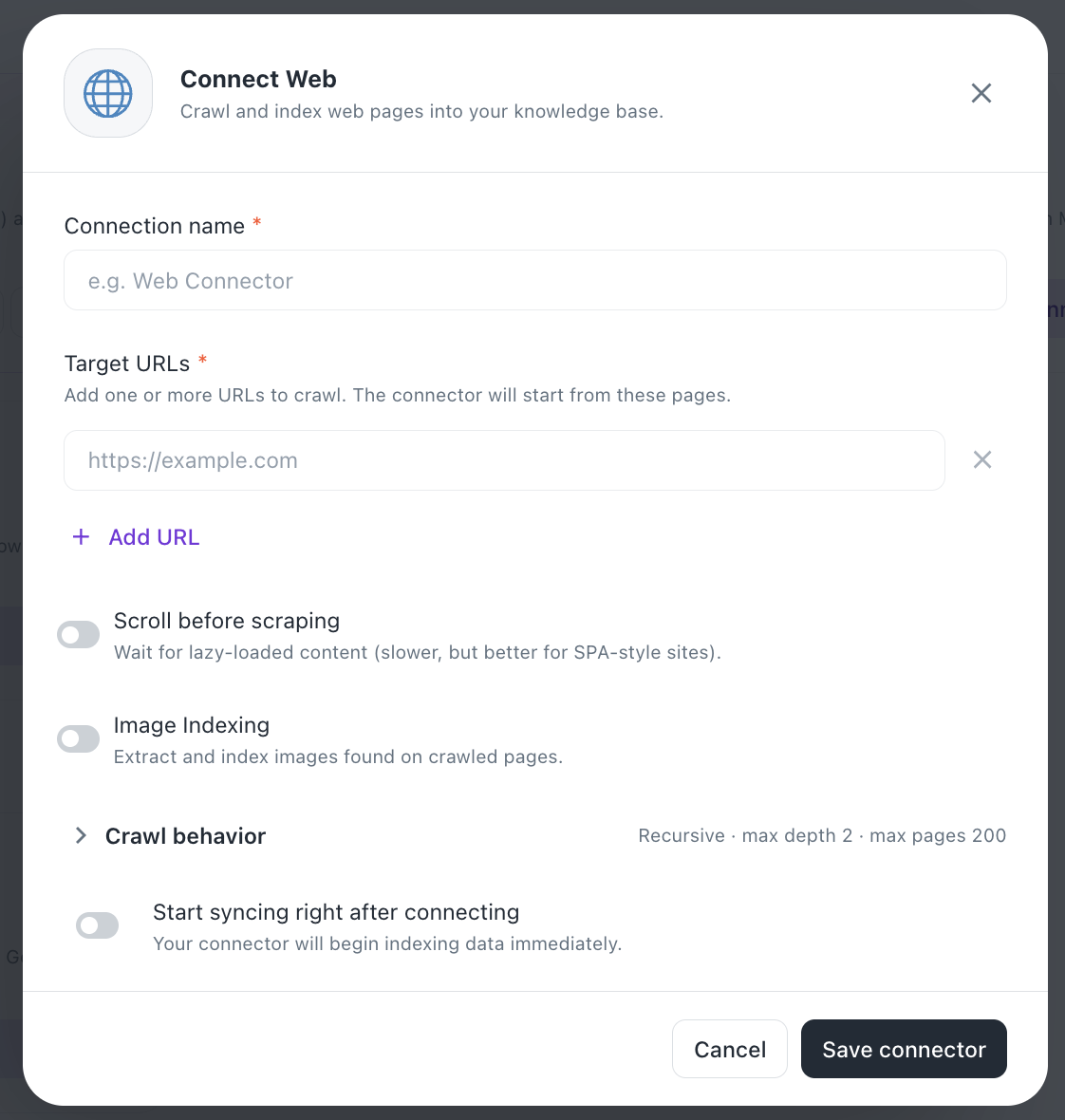
#Connect Web
Crawl and index web pages into your knowledge base.
Steps
1. Connection name (Required)
- Enter a Connection name (e.g. "Web Connector")
2. Target URLs (Required)
- Add one or more URLs to crawl (e.g.
https://example.com) — the connector starts crawling from these pages - Use + Add URL to include additional starting URLs
- Use the X icon to remove a URL from the list
3. Crawl options
- Scroll before scraping — waits for lazy-loaded content; slower, but better for SPA-style sites (toggle)
- Image Indexing — extracts and indexes images found on crawled pages (toggle)
- Crawl behavior — expandable section; default is Recursive, max depth 2, max pages 200
4. Initial Sync
- Toggle Start syncing right after connecting to begin indexing immediately upon setup
5. Save
- Click Save connector to complete setup, or Cancel to discard
Was this helpful?